

Account Login
Cancelled
YOUmake Miami: Brand It! Build Your YouTube Banner in Photoshop
Learn how to design a custom YouTube banner from scratch using Adobe Photoshop. In this hands-on workshop, you'll create a cohesive layout with shapes, images, colors and text. For more information contact fernandezp@mdpls.org or 305-921-5819. Ages 12 yrs +
What You’ll Learn:
Setting Up Your Workspace
- Create a canvas with the correct dimensions for YouTube banners
- Understand safe zones for mobile and desktop views
Designing a Cohesive Theme
- Use basic shapes and layout tools to build a clean, structured design
- Create visual flow using symmetry, balance, and white space
Working with Images
- Learn how to cut out your image using selection tools
- Place your subject exactly where you want on the banner
- Use a clipping mask to insert images creatively and cleanly
Typography & Aesthetics
- Choose fonts that match your style and content type
- Align text with your color scheme and overall theme
- Explore text placement for readability and impact
- Export your banner in the right format and resolution for upload

AGE GROUP: | Young Adult (12-18) | Adult (19+) |
EVENT TYPE: | In-Person | Education | Digital Literacy | Computers & Technology |
TAGS: | YOUmake | Learning and Classes | In-Person | Hobbies & Special Interest |
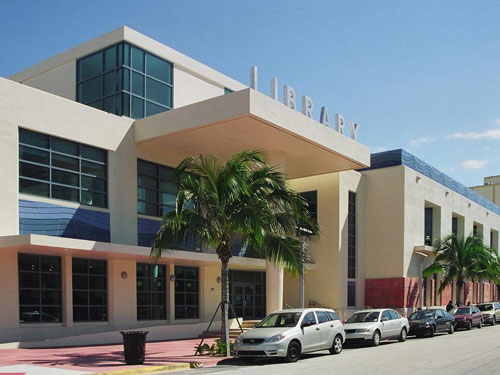
Miami Beach Regional
Hours
Skip Branch Info widget
| Mon, Oct 19 | 9:30AM to 8:00PM |
| Tue, Oct 20 | 9:30AM to 8:00PM |
| Wed, Oct 21 | 9:30AM to 8:00PM |
| Thu, Oct 22 | 9:30AM to 8:00PM |
| Fri, Oct 23 | 9:30AM to 6:00PM |
| Sat, Oct 24 | 9:30AM to 6:00PM |
| Sun, Oct 25 | Closed |
previous
this week
next
Branch manager
Bryant Capley
Address
227 22nd Street
Miami Beach, FL 33139
Miami Beach, FL 33139
Tel: 305-535-4219
Email: customercare@mdpls.org
Upcoming events
Skip Branch Events widget
Fri, Oct 23, All day
Before celebrities, nightclubs, and luxury resorts, Miami Beach was a shifting world of mangroves, coral, water, and extraordinary biodiversity. This exhibit explores the forgotten history of the countless workers who transformed the landscape of Miami Beach and whose names rarely appear in the official histories. Through photographs the convergence of geology, ecology, labor, memory, and imagination forms a new image of the iconic beachside. For more information, please contact the branch at (305) 535-4219 or fuenteso@mdpls.org. All ages.
Fri, Oct 23, 2:30pm - 4:00pm
Learn the basics of portrait drawing with a focus on facial proportions, structure and expression. Through demonstrations and guided practice, participants will develop techniques for capturing likeness and personality. Suitable for beginners and intermediate artists. Registration is required. For more information, please contact YOUmake Miami at 305-921-5819 or farra@mdpls.org. Ages 12 yrs.+
Registration is now closed
Sat, Oct 24, All day
Before celebrities, nightclubs, and luxury resorts, Miami Beach was a shifting world of mangroves, coral, water, and extraordinary biodiversity. This exhibit explores the forgotten history of the countless workers who transformed the landscape of Miami Beach and whose names rarely appear in the official histories. Through photographs the convergence of geology, ecology, labor, memory, and imagination forms a new image of the iconic beachside. For more information, please contact the branch at (305) 535-4219 or fuenteso@mdpls.org. All ages.
Sat, Oct 24, 9:30am - 11:00am
Ready to make a spooktacular craft? Grab a seat at our DIY Craft Station and put together the perfect craft for Halloween! Materials provided while supplies last. For more information, contact 305-535-4219 or capleyb@mdpls.org. Ages 3 - 8 yrs.
Sat, Oct 24, 10:00am - 1:00pm
Certified teachers meet with small groups of students in one-hour sessions to provide homework help and tutoring in reading, math, and science. Students are encouraged to bring homework material or school assignments for assistance in specific subject areas. This free service is available to all students in grades K-12. For more information, contact tutoring@mdpls.org, call 305-375-1413, or visit www.mdpls.org/tutor. Funded in part by The Children's Trust.
Sat, Oct 24, 10:30am - 11:30am
Join us for a Halloween celebration designed to bring families and the community together! Sing and create music and enjoy a festive program led by a board-certified music therapist. Suitable for all abilities. Presented by Wholesome Harmonies. For more information, please contact the branch at 305-535-4219 or capleyb@mdpls.org. Ages 0-4 yrs.
Sat, Oct 24, 3:00pm - 5:00pm
Auditorium
Everyday citizens have fought for change throughout U.S. history and for the rights we have today. Join us for a screening of 16mm films about the fight for voting rights in the twentieth century to see the importance of being an active citizen and having your voice heard. For more information, please contact the branch at 305-535-4219 or capleyb@mdpls.org. Ages 14 yrs.+
Sat, Oct 24, 3:00pm - 5:00pm
This is the second class of a two-part series designed to take your sewing skills beyond the basics. Learn how to measure and mark your fabric as well as using essential tools to create patch work on your garment. For more information contact 305-921-5819 or fernandezp@mdpls.org. Ages 12 yrs.+
This event is full
Mon, Oct 26, All day
Before celebrities, nightclubs, and luxury resorts, Miami Beach was a shifting world of mangroves, coral, water, and extraordinary biodiversity. This exhibit explores the forgotten history of the countless workers who transformed the landscape of Miami Beach and whose names rarely appear in the official histories. Through photographs the convergence of geology, ecology, labor, memory, and imagination forms a new image of the iconic beachside. For more information, please contact the branch at (305) 535-4219 or fuenteso@mdpls.org. All ages.
Mon, Oct 26, 4:00pm - 6:00pm
Whether you're a beginner or have dabbled in art before, this workshop is designed to ignite your creativity and guide you through the fundamental techniques of painting. Painting supplies will be provided. Registration is required. For more information, please contact YOUmake Miami at 305-921-5819 or farra@mdpls.org. Ages 12 yrs.+
This event is full
Mon, Oct 26, 4:30pm - 5:30pm
Auditorium
Join us for a playful, not too spooky compilation of stories, music, and fun! Presented with the generous support of the Miami Beach Arts and Culture Council, and the Miami-Dade County Department of Cultural Affairs. For more information, please contact the branch at 305-535-4219 or capleyb@mdpls.org. All ages.
Tue, Oct 27, All day
Before celebrities, nightclubs, and luxury resorts, Miami Beach was a shifting world of mangroves, coral, water, and extraordinary biodiversity. This exhibit explores the forgotten history of the countless workers who transformed the landscape of Miami Beach and whose names rarely appear in the official histories. Through photographs the convergence of geology, ecology, labor, memory, and imagination forms a new image of the iconic beachside. For more information, please contact the branch at (305) 535-4219 or fuenteso@mdpls.org. All ages.
Tue, Oct 27, 10:30am - 11:30am
Join us for soothing stories, songs and finger plays for babies and their caregivers. For more information, please contact the branch at 305-535-4219 or capleyb@mdpls.org. Ages 0 - 18 mos.
Tue, Oct 27, 4:00pm - 6:00pm
YOUmake
Learn how to bring your designs into the real world using TinkerCAD and YOUmake Miami's 3D Printers. In this beginner friendly program, we'll be making our own custom 3D designed and 3D printed keychains. For participants 13 yrs. and under, parents must be present to assist. Registration is required. For more information, please contact YOUmake Miami at 305-921-5819 or perezj@mdpls.org. Ages 8 yrs.+
Wed, Oct 28, All day
Before celebrities, nightclubs, and luxury resorts, Miami Beach was a shifting world of mangroves, coral, water, and extraordinary biodiversity. This exhibit explores the forgotten history of the countless workers who transformed the landscape of Miami Beach and whose names rarely appear in the official histories. Through photographs the convergence of geology, ecology, labor, memory, and imagination forms a new image of the iconic beachside. For more information, please contact the branch at (305) 535-4219 or fuenteso@mdpls.org. All ages.
Wed, Oct 28, 10:30am - 11:30am
Join us for stories, songs and activities for preschoolers. For more information, please contact the branch at 305-535-4219 or capleyb@mdpls.org. Ages 3-5 yrs.
Wed, Oct 28, 3:00pm - 5:00pm
YOUmake
Join fellow music enthusiasts for a collaborative and informal musical jam! Bring your own instrument or use one of our guitars, synthesizers, keyboards, or drum set to play with others. No experience necessary. Registration is encouraged! For more information, please contact YOUmake Miami at 305-921-5819 or trellesr@mdpls.org Ages 12 yrs.+
Wed, Oct 28, 4:00pm - 6:00pm
Whether you're a beginner or an experienced chess player, match your skills and learn a few new tricks about this game of strategy. For more information, please contact the branch at (305) 535-4219 or capleyb@mdpls.org. Ages 8-18 yrs.
Wed, Oct 28, 5:00pm - 6:30pm
Conference Room 203 A
Embark on thrilling adventures as we hone our problem-solving and improvisation skills with Dungeons & Dragons 5th Edition. Registration is required. For more information, please contact YOUmake Miami at 305-921-5819 or perezj@mdpls.org. Ages 12 yrs.+
Thu, Oct 29, All day
Before celebrities, nightclubs, and luxury resorts, Miami Beach was a shifting world of mangroves, coral, water, and extraordinary biodiversity. This exhibit explores the forgotten history of the countless workers who transformed the landscape of Miami Beach and whose names rarely appear in the official histories. Through photographs the convergence of geology, ecology, labor, memory, and imagination forms a new image of the iconic beachside. For more information, please contact the branch at (305) 535-4219 or fuenteso@mdpls.org. All ages.
Thu, Oct 29, 10:00am - 11:30am
Miami Beach Virtual Programs Room
Join us online and discuss stories from the anthology "The Best Short Stories 2025: The O. Henry Prize Winners." Copies of the book are available in the library upon request. Registration is required. Zoom link will be emailed to registrants prior to the event start time. For more information, please contact the branch at 305-535-4219 or capleyb@mdpls.org. Ages 19 yrs.+
Rescheduled
Thu, Oct 29, 4:00pm - 6:00pm
New date Monday, October 26, 4:00pm - 6:00pm
Whether you're a beginner or have dabbled in art before, this workshop is designed to ignite your creativity and guide you through the fundamental techniques of painting. Painting supplies will be provided. Registration is required. For more information, please contact YOUmake Miami at 305-921-5819 or farra@mdpls.org. Ages 12 yrs.+
Thu, Oct 29, 4:30pm - 6:00pm
Get ready to mix, measure, and knead your way around the world! Discover the joys of baking by exploring recipes from different cultures. From classic American dishes to delicious international pastries, young bakers will learn fundamental skills while making friends along the way. Registration required. For more information, please contact the branch at (305) 535-4219 or capleyb@mdpls.org. Ages 6 - 12 yrs.
This event is full
Thu, Oct 29, 5:00pm - 7:00pm
Whether you're a beginner or an experienced chess player, hone your skills and learn a few new tricks about this game of strategy. For more information, please contact the branch at (305) 535-4219 or capleyb@mdpls.org. Ages 19 yrs.+
Thu, Oct 29, 6:00pm - 7:30pm
Auditorium
Start your Halloween weekend with a silent scare! Join us for a special 16mm film screening of the 1920 classic "The Cabinet of Dr. Caligari" directed by Robert Wiene, preceded by an introduction to German Expressionist cinema and the political and cultural events that would shape the influential period of film history. Learn how the film became a definitive work of the period that continues to impact movies to this day. For more information, please contact the branch at 305-535-4219 or capleyb@mdpls.org. Ages 16 yrs.+
Thu, Oct 29, 6:30pm - 7:30pm
Miami Beach Toastmasters provides a comfortable, warm and nurturing environment to help you develop your public speaking and leadership skills. This is also a great way for accomplished, experienced speakers to hone their skills and perfect their art. For more information, contact the branch at (305) 535-4219 or capleyb@mdpls.org. Ages 19 yrs.+
Fri, Oct 30, All day
Before celebrities, nightclubs, and luxury resorts, Miami Beach was a shifting world of mangroves, coral, water, and extraordinary biodiversity. This exhibit explores the forgotten history of the countless workers who transformed the landscape of Miami Beach and whose names rarely appear in the official histories. Through photographs the convergence of geology, ecology, labor, memory, and imagination forms a new image of the iconic beachside. For more information, please contact the branch at (305) 535-4219 or fuenteso@mdpls.org. All ages.
Fri, Oct 30, 2:30pm - 4:00pm
Learn the basics of portrait drawing with a focus on facial proportions, structure and expression. Through demonstrations and guided practice, participants will develop techniques for capturing likeness and personality. Suitable for beginners and intermediate artists. Registration is required. For more information, please contact YOUmake Miami at 305-921-5819 or farra@mdpls.org. Ages 12 yrs.+
Fri, Oct 30, 3:00pm - 4:30pm
Auditorium
The family that scares together, stays together! Join us for an Halloween Eve movie and visit the Addams Family. The spooky clan welcome a newborn and hire a bachelor-murdering nanny who's out to inherit Uncle Fester's fortune. Wednesday and Pugsley are onto her, so she convinces Gomez and Morticia to send them away to an inane summer camp. 94 minutes. For more information, please contact 305-535-4219 or capleyb@mdpls.org. Ages 13 yrs.+
Sat, Oct 31, All day
Before celebrities, nightclubs, and luxury resorts, Miami Beach was a shifting world of mangroves, coral, water, and extraordinary biodiversity. This exhibit explores the forgotten history of the countless workers who transformed the landscape of Miami Beach and whose names rarely appear in the official histories. Through photographs the convergence of geology, ecology, labor, memory, and imagination forms a new image of the iconic beachside. For more information, please contact the branch at (305) 535-4219 or fuenteso@mdpls.org. All ages.
Sat, Oct 31, 10:00am - 1:00pm
Certified teachers meet with small groups of students in one-hour sessions to provide homework help and tutoring in reading, math, and science. Students are encouraged to bring homework material or school assignments for assistance in specific subject areas. This free service is available to all students in grades K-12. For more information, contact tutoring@mdpls.org, call 305-375-1413, or visit www.mdpls.org/tutor. Funded in part by The Children's Trust.
Sat, Oct 31, 10:30am - 11:30am
Celebrate Halloween featuring themed stories, songs, rhymes and a craft. Little ones are invited to dress up in their favorite outfits or costumes and enjoy a festive morning of fun. Materials provided, while supplies last. For more information, please contact the branch at 305-535-4219 or capleyb@mdpls.org. Ages 0 - 5 yrs.
Sat, Oct 31, 3:00pm - 5:30pm
Auditorium
Dive into suspense this Halloween with films where terrifying creatures lurk just beneath the surface. An enormous great white shark terrorizes a summer resort town, where a police chief, a grizzled fisherman and an intrepid marine biologist realize they're "gonna need a bigger boat" to battle the bloodthirsty beast. An Oscar winner for sound, editing and John Williams' score.124 minutes. For more information, please contact the branch at 305-535-4219 or capleyb@mdpls.org. Ages 10 yrs.+
Mon, Nov 02, All day
Before celebrities, nightclubs, and luxury resorts, Miami Beach was a shifting world of mangroves, coral, water, and extraordinary biodiversity. This exhibit explores the forgotten history of the countless workers who transformed the landscape of Miami Beach and whose names rarely appear in the official histories. Through photographs the convergence of geology, ecology, labor, memory, and imagination forms a new image of the iconic beachside. For more information, please contact the branch at (305) 535-4219 or fuenteso@mdpls.org. All ages.
Mon, Nov 02, 9:30am - 8:00pm
Feeling crafty and looking for ideas? Pick up a fun fall-themed craft that you can make at home. Available while supplies last. For more information, please contact the branch at 305-535-4219 or capleyb@mdpls.org. Ages 3 - 5 yrs.
Mon, Nov 02, 4:00pm - 6:00pm
Whether you're a beginner or have dabbled in art before, this workshop is designed to ignite your creativity and guide you through the fundamental techniques of painting. Painting supplies will be provided. Registration is required. For more information, please contact YOUmake Miami at 305-921-5819 or farra@mdpls.org. Ages 12 yrs.+
This event is full
Tue, Nov 03, All day
Before celebrities, nightclubs, and luxury resorts, Miami Beach was a shifting world of mangroves, coral, water, and extraordinary biodiversity. This exhibit explores the forgotten history of the countless workers who transformed the landscape of Miami Beach and whose names rarely appear in the official histories. Through photographs the convergence of geology, ecology, labor, memory, and imagination forms a new image of the iconic beachside. For more information, please contact the branch at (305) 535-4219 or fuenteso@mdpls.org. All ages.
Tue, Nov 03, 10:30am - 11:30am
Join us for soothing stories, songs and finger plays for babies and their caregivers. For more information, please contact the branch at 305-535-4219 or capleyb@mdpls.org. Ages 0 - 18 mos.
Tue, Nov 03, 4:00pm - 6:00pm
YOUmake
Learn how to bring your designs into the real world using TinkerCAD and YOUmake Miami's 3D Printers. In this beginner friendly program, we'll be making our own custom 3D designed and 3D printed keychains. For participants 13 yrs. and under, parents must be present to assist. Registration is required. For more information, please contact YOUmake Miami at 305-921-5819 or perezj@mdpls.org. Ages 8 yrs.+
Registration opens Tuesday, October 27 2026 at 4:00pm
Wed, Nov 04, All day
Before celebrities, nightclubs, and luxury resorts, Miami Beach was a shifting world of mangroves, coral, water, and extraordinary biodiversity. This exhibit explores the forgotten history of the countless workers who transformed the landscape of Miami Beach and whose names rarely appear in the official histories. Through photographs the convergence of geology, ecology, labor, memory, and imagination forms a new image of the iconic beachside. For more information, please contact the branch at (305) 535-4219 or fuenteso@mdpls.org. All ages.
Wed, Nov 04, 10:30am - 11:30am
Join us for stories, songs and activities for preschoolers. For more information, please contact the branch at 305-535-4219 or capleyb@mdpls.org. Ages 3-5 yrs.
Wed, Nov 04, 3:00pm - 5:00pm
YOUmake
Join fellow music enthusiasts for a collaborative and informal musical jam! Bring your own instrument or use one of our guitars, synthesizers, keyboards, or drum set to play with others. No experience necessary. Registration is encouraged! For more information, please contact YOUmake Miami at 305-921-5819 or trellesr@mdpls.org Ages 12 yrs.+
Registration opens Wednesday, October 28 2026 at 3:00pm
Wed, Nov 04, 4:00pm - 6:00pm
Whether you're a beginner or an experienced chess player, match your skills and learn a few new tricks about this game of strategy. For more information, please contact the branch at (305) 535-4219 or capleyb@mdpls.org. Ages 8-18 yrs.
Wed, Nov 04, 5:00pm - 6:30pm
Conference Room 203 A
Embark on thrilling adventures as we hone our problem-solving and improvisation skills with Dungeons & Dragons 5th Edition. Registration is required. For more information, please contact YOUmake Miami at 305-921-5819 or perezj@mdpls.org. Ages 12 yrs.+
Registration opens Wednesday, October 28 2026 at 5:00pm
Thu, Nov 05, All day
Before celebrities, nightclubs, and luxury resorts, Miami Beach was a shifting world of mangroves, coral, water, and extraordinary biodiversity. This exhibit explores the forgotten history of the countless workers who transformed the landscape of Miami Beach and whose names rarely appear in the official histories. Through photographs the convergence of geology, ecology, labor, memory, and imagination forms a new image of the iconic beachside. For more information, please contact the branch at (305) 535-4219 or fuenteso@mdpls.org. All ages.
Thu, Nov 05, 10:00am - 11:30am
Miami Beach Virtual Programs Room
Join us online and discuss stories from the anthology "The Best Short Stories 2025: The O. Henry Prize Winners." Copies of the book are available in the library upon request. Registration is required. Zoom link will be emailed to registrants prior to the event start time. For more information, please contact the branch at 305-535-4219 or capleyb@mdpls.org. Ages 19 yrs.+
Thu, Nov 05, 1:00pm - 2:30pm
Auditorium
Join us for classes designed to empower older adults with the skills to master technology, wellness and lifelong learning. Whether you're looking to navigate the digital world, improve your health or connect with others in your community, our knowledgeable instructors are here to guide you. This class will focus on getting to know your Android smartphone. Presented by AARP's Senior Planet. Registration is required. For more information, contact 305-535-4219 or capleyb@mdpls.org. Ages 55 yrs.+
Thu, Nov 05, 3:00pm - 4:30pm
Conference Room 203 A
Join us and take a seat at the table to enjoy engaging classic board and card games at your library. For more information, please contact the branch at 305-535-4219 or capleyb@mdpls.org. Ages 19 yrs.+
Rescheduled
Thu, Nov 05, 4:00pm - 6:00pm
New date Monday, November 02, 4:00pm - 6:00pm
Whether you're a beginner or have dabbled in art before, this workshop is designed to ignite your creativity and guide you through the fundamental techniques of painting. Painting supplies will be provided. Registration is required. For more information, please contact YOUmake Miami at 305-921-5819 or farra@mdpls.org. Ages 12 yrs.+
Thu, Nov 05, 4:30pm - 6:00pm
Children's Story Room
The 1980s were called "the decade of decadence," but worldwide political revolutions and the dawn of the digital age also took place. Get to know this decade in American history in a laidback but interactive way! Listen to famous songs from the decade, play a timeline game for a small prize, and get book and movie recommendations to really dive in. Prizes available while supplies last. For more information, please contact the branch at (305) 535-4219 or capleyb@mdpls.org. Ages 12-18 yrs.
Thu, Nov 05, 5:00pm - 7:00pm
Whether you're a beginner or an experienced chess player, hone your skills and learn a few new tricks about this game of strategy. For more information, please contact the branch at (305) 535-4219 or capleyb@mdpls.org. Ages 19 yrs.+
Thu, Nov 05, 6:30pm - 7:30pm
Miami Beach Toastmasters provides a comfortable, warm and nurturing environment to help you develop your public speaking and leadership skills. This is also a great way for accomplished, experienced speakers to hone their skills and perfect their art. For more information, contact the branch at (305) 535-4219 or capleyb@mdpls.org. Ages 19 yrs.+
Fri, Nov 06, 2:30pm - 4:00pm
Learn the basics of portrait drawing with a focus on facial proportions, structure and expression. Through demonstrations and guided practice, participants will develop techniques for capturing likeness and personality. Suitable for beginners and intermediate artists. Registration is required. For more information, please contact YOUmake Miami at 305-921-5819 or farra@mdpls.org. Ages 12 yrs.+
Sat, Nov 07, 10:00am - 1:00pm
Certified teachers meet with small groups of students in one-hour sessions to provide homework help and tutoring in reading, math, and science. Students are encouraged to bring homework material or school assignments for assistance in specific subject areas. This free service is available to all students in grades K-12. For more information, contact tutoring@mdpls.org, call 305-375-1413, or visit www.mdpls.org/tutor. Funded in part by The Children's Trust.
Sat, Nov 07, 10:30am - 12:30pm
Miami Beach Virtual Programs Room
¿Te gusta escribir? Los invitamos a participar en un taller para personas interesadas en la escritura de cuentos. Las sesiones están coordinadas por el escritor Jaime Cabrera González. Es necesario registrarse. Las personas recibirán el enlace de la plataforma Zoom, mediante correo electrónico, 24 horas antes de la hora de inicio del evento. Para más información comuníquese al 305-535-4219 o capleyb@mdpls.org. Para mayores de 19 años.
Sat, Nov 07, 11:00am - 12:00pm
Join author Lauren Jane Clancy as she reads her book, "Namaste 'N Play: A How-To-Yoga Adventure for Little Yogis," followed by a fun and interactive yoga experience inspired by the story. Through movement, play and mindfulness activities, children will build body awareness, practice focus and explore healthy ways to express themselves. No yoga experience is necessary. Registration required. For more information, contact the branch at 305-535-4219 or capleyb@mdpls.org. Ages 3 - 7 yrs.
Sat, Nov 07, 12:00pm - 2:00pm
Learn how to craft your own candles in this guided workshop. Customize scents, colors, and containers to create candles that are perfect for gifts or personal use. Materials provided. Registration required. Presented by Crafts and Drafts Miami. For more information, please contact the branch at 305-535-4219 or capleyb@mdpls.org. Ages 18 yrs.+
This event is full
Sat, Nov 07, 3:00pm - 4:30pm
Auditorium
Join us this Thanksgiving season for a fun foodalicious film! An inventor and a weather-reporter intern try to discover why the sky is raining food instead of water in this adaptation of the children's book by Ron and Judi Barrett. 89 minutes. For more information, please contact the branch at 305-535-4219 or capleyb@mdpls.org. Ages 10 yrs.+
Mon, Nov 09, 9:30am - 8:00pm
Feeling crafty and looking for ideas? Pick up a fun fall-themed craft that you can make at home. Available while supplies last. For more information, please contact the branch at 305-535-4219 or capleyb@mdpls.org. Ages 3 - 5 yrs.
Mon, Nov 09, 4:00pm - 6:00pm
Whether you're a beginner or have dabbled in art before, this workshop is designed to ignite your creativity and guide you through the fundamental techniques of painting. Painting supplies will be provided. Registration is required. For more information, please contact YOUmake Miami at 305-921-5819 or farra@mdpls.org. Ages 12 yrs.+
This event is full
Mon, Nov 09, 6:30pm - 7:30pm
Auditorium
Enjoy a performance of classical, pop and jazz music performed by The USAF Band of the West Brass Quintet in recognition and tribute to veterans and service members in Miami and the South Florida community. For more information, please contact the branch at 305-535-4219 or capleyb@mdpls.org. All ages.
Tue, Nov 10, 10:30am - 11:30am
Join us for soothing stories, songs and finger plays for babies and their caregivers. For more information, please contact the branch at 305-535-4219 or capleyb@mdpls.org. Ages 0 - 18 mos.
Tue, Nov 10, 4:00pm - 6:00pm
YOUmake
Learn how to bring your designs into the real world using TinkerCAD and YOUmake Miami's 3D Printers. In this beginner friendly program, we'll be making our own custom 3D designed and 3D printed keychains. For participants 13 yrs. and under, parents must be present to assist. Registration is required. For more information, please contact YOUmake Miami at 305-921-5819 or perezj@mdpls.org. Ages 8 yrs.+
Registration opens Tuesday, November 3 2026 at 4:00pm
Tue, Nov 10, 4:30pm - 6:00pm
Get ready to mix, measure, and knead your way around the world! Discover the joys of baking by exploring recipes from different cultures. From classic American dishes to delicious international pastries, young bakers will learn fundamental skills while making friends along the way. Registration required. For more information, please contact the branch at (305) 535-4219 or capleyb@mdpls.org. Ages 6 - 12 yrs.
Registration opens Thursday, October 29 2026 at 9:00am
Thu, Nov 12, 3:00pm - 4:30pm
Auditorium
Join us and take a seat at the table to enjoy engaging classic board and card games at your library. For more information, please contact the branch at 305-535-4219 or capleyb@mdpls.org. Ages 19 yrs.+
Rescheduled
Thu, Nov 12, 4:00pm - 6:00pm
New date Monday, November 09, 4:00pm - 6:00pm
Whether you're a beginner or have dabbled in art before, this workshop is designed to ignite your creativity and guide you through the fundamental techniques of painting. Painting supplies will be provided. Registration is required. For more information, please contact YOUmake Miami at 305-921-5819 or farra@mdpls.org. Ages 12 yrs.+
Thu, Nov 12, 5:00pm - 7:00pm
Whether you're a beginner or an experienced chess player, hone your skills and learn a few new tricks about this game of strategy. For more information, please contact the branch at (305) 535-4219 or capleyb@mdpls.org. Ages 19 yrs.+
Thu, Nov 12, 6:30pm - 7:30pm
Miami Beach Toastmasters provides a comfortable, warm and nurturing environment to help you develop your public speaking and leadership skills. This is also a great way for accomplished, experienced speakers to hone their skills and perfect their art. For more information, contact the branch at (305) 535-4219 or capleyb@mdpls.org. Ages 19 yrs.+
Fri, Nov 13, 10:30am - 11:30am
Celebrate autumn with stories, songs and crafts inspired by the season! Materials while supplies last. For more information, please contact the branch at 305-535-4219 or capleyb@mdpls.org. Ages 2 - 5 yrs.
Fri, Nov 13, 2:30pm - 4:00pm
Learn the basics of portrait drawing with a focus on facial proportions, structure and expression. Through demonstrations and guided practice, participants will develop techniques for capturing likeness and personality. Suitable for beginners and intermediate artists. Registration is required. For more information, please contact YOUmake Miami at 305-921-5819 or farra@mdpls.org. Ages 12 yrs.+
Fri, Nov 13, 4:00pm - 5:30pm
Conference Room 203 A
Embark on thrilling adventures as we hone our problem-solving and improvisation skills with Dungeons & Dragons 5th Edition. Registration is required. For more information, please contact Miami Beach Library at 305-535-4219 or capleyb@mdpls.org. Ages 16 yrs.+
Sat, Nov 14, 10:00am - 1:00pm
Certified teachers meet with small groups of students in one-hour sessions to provide homework help and tutoring in reading, math, and science. Students are encouraged to bring homework material or school assignments for assistance in specific subject areas. This free service is available to all students in grades K-12. For more information, contact tutoring@mdpls.org, call 305-375-1413, or visit www.mdpls.org/tutor. Funded in part by The Children's Trust.
Sat, Nov 14, 10:30am - 11:30am
Create your very own collage art pumpkin patch inspired by Vincent Van Gogh, perfect for the fall season! Registration required. Materials available while supplies last. For more information, please contact the branch at 305-535-4219 or capleyb@mdpls.org. Ages 6-12 yrs.
Sat, Nov 14, 3:30pm - 5:30pm
Auditorium
2026 marks the United States' 250th birthday - and no celebration is complete without a look at those that first inhabited these lands. Join us for a screening of 16mm films that show the Miccosukee and Seminole tribes of South Florida in the second half of the twentieth century. For more information, please contact the branch at (305) 535-4219 or capleyb@mdpls.org. Ages 14 yrs.+
Mon, Nov 16, 9:30am - 8:00pm
Feeling crafty and looking for ideas? Pick up a fun fall-themed craft that you can make at home. Available while supplies last. For more information, please contact the branch at 305-535-4219 or capleyb@mdpls.org. Ages 3 - 5 yrs.
Mon, Nov 16, 4:00pm - 6:00pm
Whether you're a beginner or have dabbled in art before, this workshop is designed to ignite your creativity and guide you through the fundamental techniques of painting. Painting supplies will be provided. Registration is required. For more information, please contact YOUmake Miami at 305-921-5819 or farra@mdpls.org. Ages 12 yrs.+
This event is full
Tue, Nov 17, 10:30am - 11:30am
Join us for soothing stories, songs and finger plays for babies and their caregivers. For more information, please contact the branch at 305-535-4219 or capleyb@mdpls.org. Ages 0 - 18 mos.
Tue, Nov 17, 4:00pm - 6:00pm
YOUmake
Learn how to bring your designs into the real world using TinkerCAD and YOUmake Miami's 3D Printers. In this beginner friendly program, we'll be making our own custom 3D designed and 3D printed keychains. For participants 13 yrs. and under, parents must be present to assist. Registration is required. For more information, please contact YOUmake Miami at 305-921-5819 or perezj@mdpls.org. Ages 8 yrs.+
Registration opens Tuesday, November 10 2026 at 4:00pm
Wed, Nov 18, 10:30am - 11:30am
Join us for stories, songs and activities for preschoolers. For more information, please contact the branch at 305-535-4219 or capleyb@mdpls.org. Ages 3-5 yrs.
Wed, Nov 18, 3:00pm - 5:00pm
YOUmake
Join fellow music enthusiasts for a collaborative and informal musical jam! Bring your own instrument or use one of our guitars, synthesizers, keyboards, or drum set to play with others. No experience necessary. Registration is encouraged! For more information, please contact YOUmake Miami at 305-921-5819 or trellesr@mdpls.org Ages 12 yrs.+
Registration opens Wednesday, November 11 2026 at 3:00pm
Wed, Nov 18, 4:00pm - 6:00pm
Whether you're a beginner or an experienced chess player, match your skills and learn a few new tricks about this game of strategy. For more information, please contact the branch at (305) 535-4219 or capleyb@mdpls.org. Ages 8-18 yrs.
Wed, Nov 18, 5:00pm - 6:30pm
Conference Room 203 A
Embark on thrilling adventures as we hone our problem-solving and improvisation skills with Dungeons & Dragons 5th Edition. Registration is required. For more information, please contact YOUmake Miami at 305-921-5819 or perezj@mdpls.org. Ages 12 yrs.+
Registration opens Wednesday, November 11 2026 at 5:00pm
Thu, Nov 19, 1:00pm - 2:30pm
Auditorium
Join us for classes designed to empower older adults with the skills to master technology, wellness and lifelong learning. Whether you're looking to navigate the digital world, improve your health or connect with others in your community, our knowledgeable instructors are here to guide you. This class will focus on getting to know your iPhone. Presented by AARP's Senior Planet. Registration is required. For more information, contact 305-535-4219 or capleyb@mdpls.org. Ages 55 yrs.+
Thu, Nov 19, 3:00pm - 4:30pm
Conference Room 203 A
Join us and take a seat at the table to enjoy engaging classic board and card games at your library. For more information, please contact the branch at 305-535-4219 or capleyb@mdpls.org. Ages 19 yrs.+
Rescheduled
Thu, Nov 19, 4:00pm - 6:00pm
New date Monday, November 16, 4:00pm - 6:00pm
Whether you're a beginner or have dabbled in art before, this workshop is designed to ignite your creativity and guide you through the fundamental techniques of painting. Painting supplies will be provided. Registration is required. For more information, please contact YOUmake Miami at 305-921-5819 or farra@mdpls.org. Ages 12 yrs.+
Thu, Nov 19, 4:30pm - 6:00pm
Children's Story Room
If you're a fan of the Hidden Leaf Village's favorite ninja, then this craft is for you! Choose between two skilled shinobi, Naruto Uzumaki or Kakashi Hatake, and make your own fuse bead character keychain to show off your fandom where ever you go. Materials available while supplies last. For more information, contact 305-535-4219 or capleyb@mdpls.org. Ages 8-18 yrs.
Thu, Nov 19, 5:00pm - 7:00pm
Whether you're a beginner or an experienced chess player, hone your skills and learn a few new tricks about this game of strategy. For more information, please contact the branch at (305) 535-4219 or capleyb@mdpls.org. Ages 19 yrs.+
Thu, Nov 19, 6:30pm - 7:30pm
Miami Beach Toastmasters provides a comfortable, warm and nurturing environment to help you develop your public speaking and leadership skills. This is also a great way for accomplished, experienced speakers to hone their skills and perfect their art. For more information, contact the branch at (305) 535-4219 or capleyb@mdpls.org. Ages 19 yrs.+
Fri, Nov 20, 2:30pm - 4:00pm
Learn the basics of portrait drawing with a focus on facial proportions, structure and expression. Through demonstrations and guided practice, participants will develop techniques for capturing likeness and personality. Suitable for beginners and intermediate artists. Registration is required. For more information, please contact YOUmake Miami at 305-921-5819 or farra@mdpls.org. Ages 12 yrs.+
Fri, Nov 20, 4:00pm - 5:30pm
Conference Room 203 A
Embark on thrilling adventures as we hone our problem-solving and improvisation skills with Dungeons & Dragons 5th Edition. Registration is required. For more information, please contact Miami Beach Library at 305-535-4219 or capleyb@mdpls.org. Ages 16 yrs.+
Sat, Nov 21, 10:30am - 12:30pm
Miami Beach Virtual Programs Room
¿Te gusta escribir? Los invitamos a participar en un taller para personas interesadas en la escritura de cuentos. Las sesiones están coordinadas por el escritor Jaime Cabrera González. Es necesario registrarse. Las personas recibirán el enlace de la plataforma Zoom, mediante correo electrónico, 24 horas antes de la hora de inicio del evento. Para más información comuníquese al 305-535-4219 o capleyb@mdpls.org. Para mayores de 19 años.
Sat, Nov 21, 3:00pm - 5:00pm
Auditorium
Join us this Thanksgiving season for a fun foodalicious film! Join the expedition visiting legendary Candy Man Willy Wonka (Gene Wilder) in a splendiferous movie that wondrously brings to screen the endlessly appetizing delights of Roald Dahl’s classic book. On a whirlwind tour of Willy’s incredible, edible realm, a boy named Charlie (Peter Ostrum) will discover the sweetest secret of all: a generous, loving heart. 98 minutes. For more information, please contact the branch at 305-535-4219 or capleyb@mdpls.org. All Ages.
Tue, Nov 24, 10:30am - 11:30am
Join us for soothing stories, songs and finger plays for babies and their caregivers. For more information, please contact the branch at 305-535-4219 or capleyb@mdpls.org. Ages 0 - 18 mos.
Tue, Nov 24, 4:00pm - 6:00pm
YOUmake
Learn how to bring your designs into the real world using TinkerCAD and YOUmake Miami's 3D Printers. In this beginner friendly program, we'll be making our own custom 3D designed and 3D printed keychains. For participants 13 yrs. and under, parents must be present to assist. Registration is required. For more information, please contact YOUmake Miami at 305-921-5819 or perezj@mdpls.org. Ages 8 yrs.+
Registration opens Tuesday, November 17 2026 at 4:00pm
Wed, Nov 25, 10:30am - 11:30am
Join us for stories, songs and activities for preschoolers. For more information, please contact the branch at 305-535-4219 or capleyb@mdpls.org. Ages 3-5 yrs.
Wed, Nov 25, 3:00pm - 5:00pm
YOUmake
Join fellow music enthusiasts for a collaborative and informal musical jam! Bring your own instrument or use one of our guitars, synthesizers, keyboards, or drum set to play with others. No experience necessary. Registration is encouraged! For more information, please contact YOUmake Miami at 305-921-5819 or trellesr@mdpls.org Ages 12 yrs.+
Registration opens Wednesday, November 18 2026 at 3:00pm
Wed, Nov 25, 5:00pm - 6:30pm
Conference Room 203 A
Embark on thrilling adventures as we hone our problem-solving and improvisation skills with Dungeons & Dragons 5th Edition. Registration is required. For more information, please contact YOUmake Miami at 305-921-5819 or perezj@mdpls.org. Ages 12 yrs.+
Registration opens Wednesday, November 18 2026 at 5:00pm
Mon, Nov 30, 4:00pm - 6:00pm
Whether you're a beginner or have dabbled in art before, this workshop is designed to ignite your creativity and guide you through the fundamental techniques of painting. Painting supplies will be provided. Registration is required. For more information, please contact YOUmake Miami at 305-921-5819 or farra@mdpls.org. Ages 12 yrs.+
Tue, Dec 01, 10:30am - 11:30am
Join us for soothing stories, songs and finger plays for babies and their caregivers. For more information, please contact the branch at 305-535-4219 or capleyb@mdpls.org. Ages 0 - 18 mos.
Tue, Dec 01, 4:00pm - 6:00pm
YOUmake
Learn how to bring your designs into the real world using TinkerCAD and YOUmake Miami's 3D Printers. In this beginner friendly program, we'll be making our own custom 3D designed and 3D printed keychains. For participants 13 yrs. and under, parents must be present to assist. Registration is required. For more information, please contact YOUmake Miami at 305-921-5819 or perezj@mdpls.org. Ages 8 yrs.+
Registration opens Tuesday, November 24 2026 at 4:00pm
Wed, Dec 02, 10:30am - 11:30am
Join us for stories, songs and activities for preschoolers. For more information, please contact the branch at 305-535-4219 or capleyb@mdpls.org. Ages 3-5 yrs.
Wed, Dec 02, 3:00pm - 5:00pm
YOUmake
Join fellow music enthusiasts for a collaborative and informal musical jam! Bring your own instrument or use one of our guitars, synthesizers, keyboards, or drum set to play with others. No experience necessary. Registration is encouraged! For more information, please contact YOUmake Miami at 305-921-5819 or trellesr@mdpls.org Ages 12 yrs.+
Registration opens Wednesday, November 25 2026 at 3:00pm
Wed, Dec 02, 4:00pm - 6:00pm
Whether you're a beginner or an experienced chess player, match your skills and learn a few new tricks about this game of strategy. For more information, please contact the branch at (305) 535-4219 or capleyb@mdpls.org. Ages 8-18 yrs.
Wed, Dec 02, 5:00pm - 6:30pm
Conference Room 203 A
Embark on thrilling adventures as we hone our problem-solving and improvisation skills with Dungeons & Dragons 5th Edition. Registration is required. For more information, please contact YOUmake Miami at 305-921-5819 or perezj@mdpls.org. Ages 12 yrs.+
Registration opens Wednesday, November 25 2026 at 5:00pm
Thu, Dec 03, 3:00pm - 4:30pm
Auditorium
Join us and take a seat at the table to enjoy engaging classic board and card games at your library. For more information, please contact the branch at 305-535-4219 or capleyb@mdpls.org. Ages 19 yrs.+
Rescheduled
Thu, Dec 03, 4:00pm - 6:00pm
New date Monday, November 30, 4:00pm - 6:00pm
Whether you're a beginner or have dabbled in art before, this workshop is designed to ignite your creativity and guide you through the fundamental techniques of painting. Painting supplies will be provided. Registration is required. For more information, please contact YOUmake Miami at 305-921-5819 or farra@mdpls.org. Ages 12 yrs.+
Thu, Dec 03, 4:00pm - 5:30pm
YOUmake
Join our hands-on screen printing workshop where you will bring your design to life using the Cricut Maker 3! By the end, you will have a custom-printed fabric piece to take home. Registration required. For more information, please contact fernandezp@mdpls.org or 305-921-5819. Ages 12 yrs.+
Registration opens Thursday, November 26 2026 at 4:00pm
Thu, Dec 03, 5:00pm - 7:00pm
Whether you're a beginner or an experienced chess player, hone your skills and learn a few new tricks about this game of strategy. For more information, please contact the branch at (305) 535-4219 or capleyb@mdpls.org. Ages 19 yrs.+
Thu, Dec 03, 6:30pm - 7:30pm
Miami Beach Toastmasters provides a comfortable, warm and nurturing environment to help you develop your public speaking and leadership skills. This is also a great way for accomplished, experienced speakers to hone their skills and perfect their art. For more information, contact the branch at (305) 535-4219 or capleyb@mdpls.org. Ages 19 yrs.+
Fri, Dec 04, 2:30pm - 4:00pm
Learn the basics of portrait drawing with a focus on facial proportions, structure and expression. Through demonstrations and guided practice, participants will develop techniques for capturing likeness and personality. Suitable for beginners and intermediate artists. Registration is required. For more information, please contact YOUmake Miami at 305-921-5819 or farra@mdpls.org. Ages 12 yrs.+
Fri, Dec 04, 4:00pm - 5:30pm
Conference Room 203 A
Embark on thrilling adventures as we hone our problem-solving and improvisation skills with Dungeons & Dragons 5th Edition. Registration is required. For more information, please contact Miami Beach Library at 305-535-4219 or capleyb@mdpls.org. Ages 16 yrs.+
Sat, Dec 05, 10:00am - 1:00pm
Certified teachers meet with small groups of students in one-hour sessions to provide homework help and tutoring in reading, math, and science. Students are encouraged to bring homework material or school assignments for assistance in specific subject areas. This free service is available to all students in grades K-12. For more information, contact tutoring@mdpls.org, call 305-375-1413, or visit www.mdpls.org/tutor. Funded in part by The Children's Trust.
Sat, Dec 05, 10:30am - 12:30pm
Miami Beach Virtual Programs Room
¿Te gusta escribir? Los invitamos a participar en un taller para personas interesadas en la escritura de cuentos. Las sesiones están coordinadas por el escritor Jaime Cabrera González. Es necesario registrarse. Las personas recibirán el enlace de la plataforma Zoom, mediante correo electrónico, 24 horas antes de la hora de inicio del evento. Para más información comuníquese al 305-535-4219 o capleyb@mdpls.org. Para mayores de 19 años.
Sat, Dec 05, 3:00pm - 5:00pm
Auditorium
Join us for this heartwarming romantic comedy about a shy American saleswoman whose doctor misdiagnoses her. When she believes that death is calling, she decides to go out with a bang and heads to Europe for an extended stay at a swanky resort. (112 minutes). For more information, please contact the branch at 305-535-4219 or capleyb@mdpls.org. Ages 14 yrs.+
Sat, Dec 05, 3:00pm - 5:00pm
Jumpstart your sewing journey with this beginner-friendly workshop! We will help you become comfortable with a sewing machine by practicing speed, direction and basic control. Learn about must-have tools and receive step-by-step guidance on how to thread the machine so you can start stitching with confidence. For more information, contact 305-921-5819 or fernandezp@mdpls.org. Ages 12 yrs.+
Registration opens Saturday, November 28 2026 at 3:00pm
Mon, Dec 07, 9:30am - 8:00pm
From Cinderella to Princess Mia Thermopolis of Genovia, every princess knows that a tiara is the perfect accessory for any royal outfit! Stop by to pick up your very own kit to decorate your own fancy headwear. Add gemstones, stickers, and your own colors to make it just for you. Materials available while supplies last. For more information, please contact the branch at 305-535-4219 or capleyb@mdpls.org. Ages 5-12 yrs.
Mon, Dec 07, 4:00pm - 6:00pm
Whether you're a beginner or have dabbled in art before, this workshop is designed to ignite your creativity and guide you through the fundamental techniques of painting. Painting supplies will be provided. Registration is required. For more information, please contact YOUmake Miami at 305-921-5819 or farra@mdpls.org. Ages 12 yrs.+
Tue, Dec 08, 10:30am - 11:30am
Join us for soothing stories, songs and finger plays for babies and their caregivers. For more information, please contact the branch at 305-535-4219 or capleyb@mdpls.org. Ages 0 - 18 mos.
Tue, Dec 08, 4:00pm - 6:00pm
YOUmake
Learn how to bring your designs into the real world using TinkerCAD and YOUmake Miami's 3D Printers. In this beginner friendly program, we'll be making our own custom 3D designed and 3D printed keychains. For participants 13 yrs. and under, parents must be present to assist. Registration is required. For more information, please contact YOUmake Miami at 305-921-5819 or perezj@mdpls.org. Ages 8 yrs.+
Registration opens Tuesday, December 1 2026 at 4:00pm
Tue, Dec 08, 4:00pm - 5:00pm
Put on your glass slippers and ball gowns, fly your magic carpets, and set off to answer questions about Disney royalty! Answer questions right and win a small prize. Prizes available while supplies last. For more information, please contact the branch at 305-535-4219 or capleyb@mdpls.org. Ages 8-18 yrs.
Wed, Dec 09, 10:30am - 11:30am
Join us for stories, songs and activities for preschoolers. For more information, please contact the branch at 305-535-4219 or capleyb@mdpls.org. Ages 3-5 yrs.
Wed, Dec 09, 3:00pm - 5:00pm
YOUmake
Join fellow music enthusiasts for a collaborative and informal musical jam! Bring your own instrument or use one of our guitars, synthesizers, keyboards, or drum set to play with others. No experience necessary. Registration is encouraged! For more information, please contact YOUmake Miami at 305-921-5819 or trellesr@mdpls.org Ages 12 yrs.+
Registration opens Wednesday, December 2 2026 at 3:00pm
Wed, Dec 09, 4:00pm - 5:00pm
Children's Story Room
Are you an Ariel or a Tiana? Make a bracelet inspired by some of your favorite princesses. Add sparkle and shine to any outfit and channel your inner Disney princess. Materials available while supplies last. For more information, please contact the branch at 305-535-4219 or capleyb@mdpls.org. Ages 6-12 yrs.
Wed, Dec 09, 5:00pm - 6:30pm
Conference Room 203 A
Embark on thrilling adventures as we hone our problem-solving and improvisation skills with Dungeons & Dragons 5th Edition. Registration is required. For more information, please contact YOUmake Miami at 305-921-5819 or perezj@mdpls.org. Ages 12 yrs.+
Registration opens Wednesday, December 2 2026 at 5:00pm
Thu, Dec 10, 1:00pm - 2:30pm
Auditorium
Join us for classes designed to empower older adults with the skills to master technology, wellness and lifelong learning. Whether you're looking to navigate the digital world, improve your health or connect with others in your community, our knowledgeable instructors are here to guide you. This class will focus on exploring and downloading apps. Presented by AARP's Senior Planet. Registration is required. For more information, contact 305-535-4219 or capleyb@mdpls.org. Ages 55 yrs.+
Registration opens Tuesday, November 10 2026 at 9:00am
Thu, Dec 10, 3:00pm - 4:30pm
Conference Room 203 A
Join us and take a seat at the table to enjoy engaging classic board and card games at your library. For more information, please contact the branch at 305-535-4219 or capleyb@mdpls.org. Ages 19 yrs.+
Rescheduled
Thu, Dec 10, 4:00pm - 6:00pm
New date Monday, December 07, 4:00pm - 6:00pm
Whether you're a beginner or have dabbled in art before, this workshop is designed to ignite your creativity and guide you through the fundamental techniques of painting. Painting supplies will be provided. Registration is required. For more information, please contact YOUmake Miami at 305-921-5819 or farra@mdpls.org. Ages 12 yrs.+
Thu, Dec 10, 4:00pm - 5:30pm
YOUmake
Carve it, ink it, print it! Learn the basics of creating a lino block and use it to make your own unique prints on fabric. Registration required. For more information, please contact fernandezp@mdpls.org or 305-921-5819. Ages 12 yrs.+
Registration opens Thursday, December 3 2026 at 4:00pm
Thu, Dec 10, 4:30pm - 6:00pm
Children's Story Room
The 1990s were called the "post-Cold War decade" as the world reset after upheaval and the United States became a global superpower. Technology and diversity expanded but conflicts also occurred. Get to know this decade in American history in a laidback but interactive way! Listen to famous songs from the decade, play a timeline game for a small prize and get book and movie recommendations to really dive in. Prizes while supplies last. For more information, please contact the branch at 305-535-4219 or capleyb@mdpls.org. Ages 12-18 yrs.
Thu, Dec 10, 4:30pm - 6:00pm
Get ready to mix, measure, and knead your way around the world! Discover the joys of baking by exploring recipes from different cultures. From classic American dishes to delicious international pastries, young bakers will learn fundamental skills while making friends along the way. Registration required. For more information, please contact the branch at (305) 535-4219 or capleyb@mdpls.org. Ages 6 - 12 yrs.
Registration opens Tuesday, November 10 2026 at 9:00am
Thu, Dec 10, 5:00pm - 7:00pm
Whether you're a beginner or an experienced chess player, hone your skills and learn a few new tricks about this game of strategy. For more information, please contact the branch at (305) 535-4219 or capleyb@mdpls.org. Ages 19 yrs.+
Thu, Dec 10, 6:30pm - 7:30pm
Miami Beach Toastmasters provides a comfortable, warm and nurturing environment to help you develop your public speaking and leadership skills. This is also a great way for accomplished, experienced speakers to hone their skills and perfect their art. For more information, contact the branch at (305) 535-4219 or capleyb@mdpls.org. Ages 19 yrs.+
Fri, Dec 11, 2:30pm - 4:00pm
Learn the basics of portrait drawing with a focus on facial proportions, structure and expression. Through demonstrations and guided practice, participants will develop techniques for capturing likeness and personality. Suitable for beginners and intermediate artists. Registration is required. For more information, please contact YOUmake Miami at 305-921-5819 or farra@mdpls.org. Ages 12 yrs.+
Fri, Dec 11, 4:00pm - 5:30pm
Conference Room 203 A
Embark on thrilling adventures as we hone our problem-solving and improvisation skills with Dungeons & Dragons 5th Edition. Registration is required. For more information, please contact Miami Beach Library at 305-535-4219 or capleyb@mdpls.org. Ages 16 yrs.+
Fri, Dec 11, 4:00pm - 5:00pm
Children's Story Room
Bibbidi-bobbidi—button making! Join us to color your own button based on your favorite Disney princess characters. Get the perfect backpack accessory to show off your Disney fandom and celebrate the characters you love. Materials available while supplies last. For more information, please contact the branch at 305-535-4219 or capleyb@mdpls.org. Ages 6-12 yrs.
Sat, Dec 12, 10:00am - 1:00pm
Certified teachers meet with small groups of students in one-hour sessions to provide homework help and tutoring in reading, math, and science. Students are encouraged to bring homework material or school assignments for assistance in specific subject areas. This free service is available to all students in grades K-12. For more information, contact tutoring@mdpls.org, call 305-375-1413, or visit www.mdpls.org/tutor. Funded in part by The Children's Trust.
Sat, Dec 12, 12:00pm - 2:00pm
Auditorium
Learn the art of stitching by hand in this guided workshop through basic techniques to create your own beautiful, embroidered design. Perfect for beginners and craft lovers! Materials provided. Registration required. Presented by Crafts and Drafts Miami. For more information, please contact the branch at (305) 535-4219 or capleyb@mdpls.org. Ages 18 yrs.+
Registration opens Monday, November 16 2026 at 9:00am
Sat, Dec 12, 3:00pm - 5:00pm
As the United States' 250th birthday party comes to an end, join us for a 16mm film screening of iconic American symbols throughout history. Get a glimpse of how the country's people have changed its landscape and left their mark on what it means to be an American citizen. For more information, please contact the branch at (305) 535-4219 or capleyb@mdpls.org. Ages 10 yrs.+
Sat, Dec 12, 3:00pm - 5:00pm
This is the first class of a two-part series designed to take your sewing skills beyond the basics. Learn how to measure and mark your fabric as well as using essential tools to construct your drawstring bag. For more information contact 305-921-5819 or fernandezp@mdpls.org. Ages 12 yrs.+
Registration opens Saturday, December 5 2026 at 3:00pm
Mon, Dec 14, 9:30am - 8:00pm
You won't need a Pizza Planet claw machine to make this fan-favorite alien! Stop by and pick up a kit to make your own intergalactic little friend. Materials available while supplies last. For more information, please contact the branch at 305-535-4219 or capleyb@mdpls.org. Ages 3-8 yrs.
Mon, Dec 14, 4:00pm - 6:00pm
Whether you're a beginner or have dabbled in art before, this workshop is designed to ignite your creativity and guide you through the fundamental techniques of painting. Painting supplies will be provided. Registration is required. For more information, please contact YOUmake Miami at 305-921-5819 or farra@mdpls.org. Ages 12 yrs.+
Tue, Dec 15, 10:30am - 11:30am
Join us for soothing stories, songs and finger plays for babies and their caregivers. For more information, please contact the branch at 305-535-4219 or capleyb@mdpls.org. Ages 0 - 18 mos.
Tue, Dec 15, 4:00pm - 6:00pm
YOUmake
Learn how to bring your designs into the real world using TinkerCAD and YOUmake Miami's 3D Printers. In this beginner friendly program, we'll be making our own custom 3D designed and 3D printed keychains. For participants 13 yrs. and under, parents must be present to assist. Registration is required. For more information, please contact YOUmake Miami at 305-921-5819 or perezj@mdpls.org. Ages 8 yrs.+
Registration opens Tuesday, December 8 2026 at 4:00pm
Wed, Dec 16, 10:30am - 11:30am
Join us for stories, songs and activities for preschoolers. For more information, please contact the branch at 305-535-4219 or capleyb@mdpls.org. Ages 3-5 yrs.
Wed, Dec 16, 3:00pm - 5:00pm
YOUmake
Join fellow music enthusiasts for a collaborative and informal musical jam! Bring your own instrument or use one of our guitars, synthesizers, keyboards, or drum set to play with others. No experience necessary. Registration is encouraged! For more information, please contact YOUmake Miami at 305-921-5819 or trellesr@mdpls.org Ages 12 yrs.+
Registration opens Wednesday, December 9 2026 at 3:00pm
Wed, Dec 16, 4:00pm - 6:00pm
Whether you're a beginner or an experienced chess player, match your skills and learn a few new tricks about this game of strategy. For more information, please contact the branch at (305) 535-4219 or capleyb@mdpls.org. Ages 8-18 yrs.
Wed, Dec 16, 4:00pm - 5:00pm
Dust off those thinking caps and get ready to put your Disney smarts to the test! Can you name all of the Incredibles? Or all of the toys in Andy's room? Rev up those cars, don't get lost like Nemo, and come on down to the library to answer trivia for small prizes! Prizes while supplies last. For more information, please contact the branch at 305-535-4219 or capleyb@mdpls.org. Ages 8-18 yrs.
Wed, Dec 16, 5:00pm - 6:30pm
Conference Room 203 A
Embark on thrilling adventures as we hone our problem-solving and improvisation skills with Dungeons & Dragons 5th Edition. Registration is required. For more information, please contact YOUmake Miami at 305-921-5819 or perezj@mdpls.org. Ages 12 yrs.+
Registration opens Wednesday, December 9 2026 at 5:00pm
Thu, Dec 17, 3:00pm - 4:30pm
Auditorium
Join us and take a seat at the table to enjoy engaging classic board and card games at your library. For more information, please contact the branch at 305-535-4219 or capleyb@mdpls.org. Ages 19 yrs.+
Rescheduled
Thu, Dec 17, 4:00pm - 6:00pm
New date Monday, December 14, 4:00pm - 6:00pm
Whether you're a beginner or have dabbled in art before, this workshop is designed to ignite your creativity and guide you through the fundamental techniques of painting. Painting supplies will be provided. Registration is required. For more information, please contact YOUmake Miami at 305-921-5819 or farra@mdpls.org. Ages 12 yrs.+
Thu, Dec 17, 4:00pm - 5:30pm
YOUmake
Master the art of heat-transfer vinyl and create your own custom apparel with the Cricut Maker 3! Learn to design, weed, and press for a long-lasting result. Registration required. For more information, please contact fernandezp@mdpls.org or 305-921-5819. Ages 12 yrs.+
Registration opens Thursday, December 10 2026 at 4:00pm
Thu, Dec 17, 4:30pm - 6:00pm
Children's Story Room
You've got a friend with these animated fuse bead besties! Choose between Anger and Joy from Inside Out or classic best buds Woody and Buzz from Toy Story. Make a fun keychain to keep or gift to a friend. Materials available while supplies last. For more information, please contact the branch at 305-535-4219 or capleyb@mdpls.org. Ages 8-18 yrs.
Thu, Dec 17, 5:00pm - 7:00pm
Whether you're a beginner or an experienced chess player, hone your skills and learn a few new tricks about this game of strategy. For more information, please contact the branch at (305) 535-4219 or capleyb@mdpls.org. Ages 19 yrs.+
Thu, Dec 17, 6:30pm - 7:30pm
Miami Beach Toastmasters provides a comfortable, warm and nurturing environment to help you develop your public speaking and leadership skills. This is also a great way for accomplished, experienced speakers to hone their skills and perfect their art. For more information, contact the branch at (305) 535-4219 or capleyb@mdpls.org. Ages 19 yrs.+
Fri, Dec 18, 2:30pm - 4:00pm
Learn the basics of portrait drawing with a focus on facial proportions, structure and expression. Through demonstrations and guided practice, participants will develop techniques for capturing likeness and personality. Suitable for beginners and intermediate artists. Registration is required. For more information, please contact YOUmake Miami at 305-921-5819 or farra@mdpls.org. Ages 12 yrs.+
Fri, Dec 18, 4:00pm - 5:30pm
Conference Room 203 A
Embark on thrilling adventures as we hone our problem-solving and improvisation skills with Dungeons & Dragons 5th Edition. Registration is required. For more information, please contact Miami Beach Library at 305-535-4219 or capleyb@mdpls.org. Ages 16 yrs.+
Sat, Dec 19, 10:30am - 12:30pm
Miami Beach Virtual Programs Room
¿Te gusta escribir? Los invitamos a participar en un taller para personas interesadas en la escritura de cuentos. Las sesiones están coordinadas por el escritor Jaime Cabrera González. Es necesario registrarse. Las personas recibirán el enlace de la plataforma Zoom, mediante correo electrónico, 24 horas antes de la hora de inicio del evento. Para más información comuníquese al 305-535-4219 o capleyb@mdpls.org. Para mayores de 19 años.
Sat, Dec 19, 3:00pm - 5:00pm
Auditorium
A dysfunctional young woman working as Santa's elf at a year-round Christmas store in London finds her life taking an unexpectedly optimistic turn after becoming romantically entangled with a handsome and mysterious stranger over the holiday season. 103 minutes. For more information, please contact the branch at 305-535-4219 or capleyb@mdpls.org. Ages 17 yrs.+
Cancelled
Sat, Dec 19, 3:00pm - 5:00pm
Jumpstart your sewing journey with this beginner-friendly workshop! We will help you become comfortable with a sewing machine by practicing speed, direction and basic control. Learn about must-have tools and receive step-by-step guidance on how to thread the machine so you can start stitching with confidence. For more information, contact 305-921-5819 or fernandezp@mdpls.org. Ages 12 yrs.+
Sat, Dec 19, 3:00pm - 5:00pm
YOUmake
This is the second class of a two-part series designed to take your sewing skills beyond the basics. Learn how to measure and mark your fabric as well as using essential tools to create patch work on your garment. For more information contact 305-921-5819 or fernandezp@mdpls.org. Ages 12 yrs.+
Registration opens Saturday, December 12 2026 at 3:00pm
Mon, Dec 21, 4:00pm - 6:00pm
Whether you're a beginner or have dabbled in art before, this workshop is designed to ignite your creativity and guide you through the fundamental techniques of painting. Painting supplies will be provided. Registration is required. For more information, please contact YOUmake Miami at 305-921-5819 or farra@mdpls.org. Ages 12 yrs.+
Tue, Dec 22, 10:30am - 11:30am
Join us for soothing stories, songs and finger plays for babies and their caregivers. For more information, please contact the branch at 305-535-4219 or capleyb@mdpls.org. Ages 0 - 18 mos.
Tue, Dec 22, 4:00pm - 6:00pm
YOUmake
Learn how to bring your designs into the real world using TinkerCAD and YOUmake Miami's 3D Printers. In this beginner friendly program, we'll be making our own custom 3D designed and 3D printed keychains. For participants 13 yrs. and under, parents must be present to assist. Registration is required. For more information, please contact YOUmake Miami at 305-921-5819 or perezj@mdpls.org. Ages 8 yrs.+
Registration opens Tuesday, December 15 2026 at 4:00pm